Finding the Implementation of a Functionality in a QtWidgets Application Using GammaRay
2026-08-09T20:49:33+08:00
To exercise Freedom 1 and Freedom 3 of free software, and/or contribute to the free software community, we need to change the source code related to a functionality to make the software do something different. However, because we are not familiar with a project, we often do not know where the source code we need to change is. You may be lucky enough to find it by trying grep -R <some-user-facing-string> .; however, sometimes that will not work (see the previous post). In that case, we will need some advanced software introspection tools. For software developed with Qt, a powerful utility is GammaRay.
To use GammaRay, you first need to install it. If you want to introspect software installed from your distribution's official repository, then install GammaRay from there too:
# apt install gammaray
If you are using kde-builder to develop KDE applications, add these lines to your ~/.config/kde-builder.yaml:
project gammaray:
  repository: https://github.com/KDAB/GammaRay.git
and build it into your working directory:
$ kde-builder gammaray
To use GammaRay, you need to have the application you want to introspect running. Then, fire up GammaRay and choose your application in the list.
Let's take finding the slideshow logic in Gwenview as an example. Open Gwenview and then open an image, where you will see the Start Slideshow option in the menu:
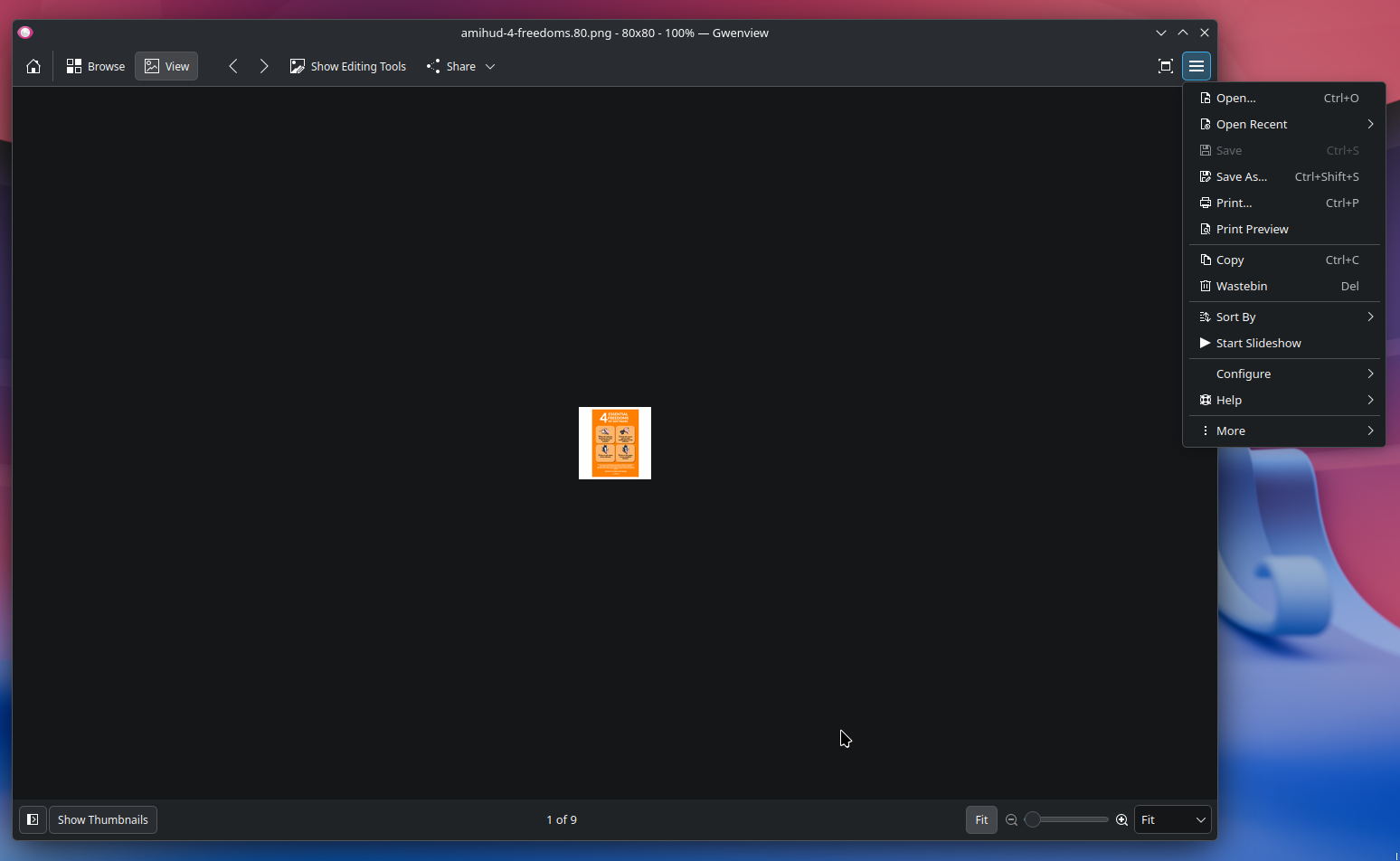
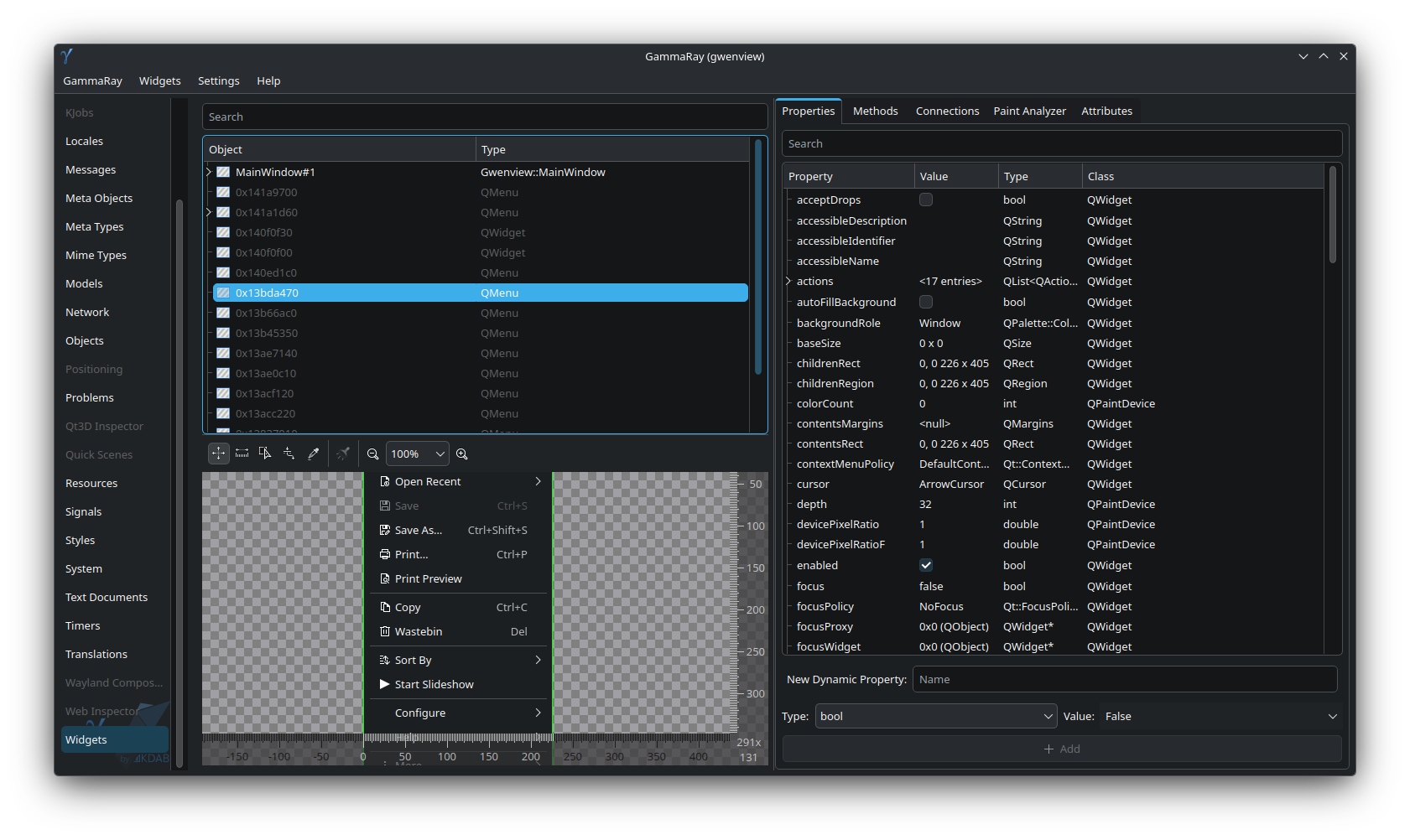
By going through the list of widgets one by one, you will see that 0x13bda470 is the menu we want to introspect, which contains the Start Slideshow option:
And we will see a toggle_slideshow QAction in the Connections tab:
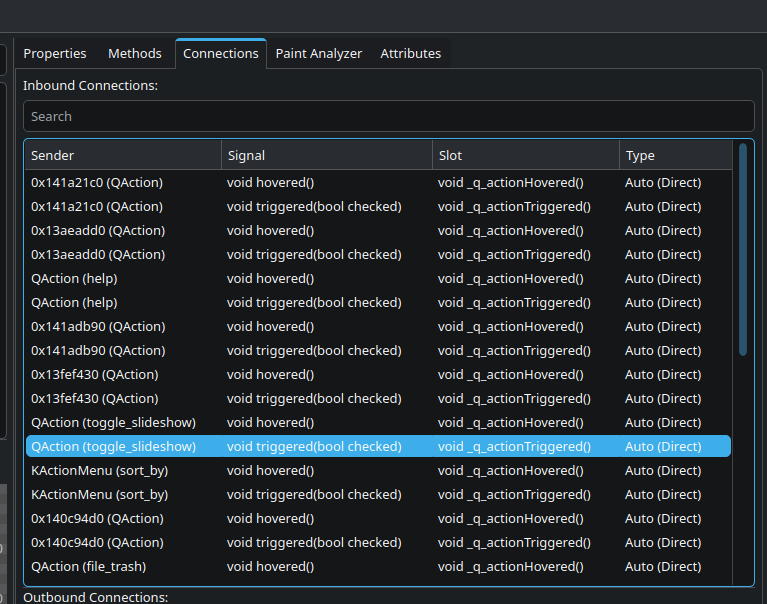
grep will tell us where such a QAction is:
~/kde/src/gwenview$ grep -R toggle_slideshow
app/fullscreencontent.cpp:    addAction(QStringLiteral("toggle_slideshow"));
app/gwenviewui.rc:        <Action name="toggle_slideshow" />
app/mainwindow.cpp:        mToggleSlideShowAction = view->addAction(QStringLiteral("toggle_slideshow"), q, &MainWindow::toggleSlideShow);
Open the project in your favourite IDE, for example Qt Creator, and search for the string in app/mainwindow.cpp. We will find toggle_slideshow here:
        mToggleSlideShowAction = view->addAction(QStringLiteral("toggle_slideshow"), q, &MainWindow::toggleSlideShow);
        q->updateSlideShowAction();
        connect(mSlideShow, &SlideShow::stateChanged, q, &MainWindow::updateSlideShowAction);
Now let us search for toggleSlideShow here, which will lead us to this function:
void MainWindow::toggleSlideShow()
{
    if (d->mSlideShow->isRunning()) {
        d->mSlideShow->pause();
    } else {
        if (!d->mViewAction->isChecked()) {
            d->mViewAction->trigger();
        }
        if (!d->mFullScreenAction->isChecked()) {
            d->mFullScreenAction->trigger();
        }
        QList<QUrl> list;
        for (int pos = 0; pos < d->mDirModel->rowCount(); ++pos) {
            QModelIndex index = d->mDirModel->index(pos, 0);
            KFileItem item = d->mDirModel->itemForIndex(index);
            MimeTypeUtils::Kind kind = MimeTypeUtils::fileItemKind(item);
            switch (kind) {
            case MimeTypeUtils::KIND_SVG_IMAGE:
            case MimeTypeUtils::KIND_RASTER_IMAGE:
            case MimeTypeUtils::KIND_VIDEO:
                list << item.url();
                break;
            default:
                break;
            }
        }
        d->mSlideShow->start(list);
    }
    updateSlideShowAction();
}
Continue searching for mSlideShow, and you will land here:
struct MainWindow::Private {
    ...
    SlideShow *mSlideShow = nullptr;
    ...
}
We can now see that d->mSlideShow is of type SlideShow *. Hovering over the SlideShow name with the mouse will tell us that the type is provided by lib/slideshow.h.
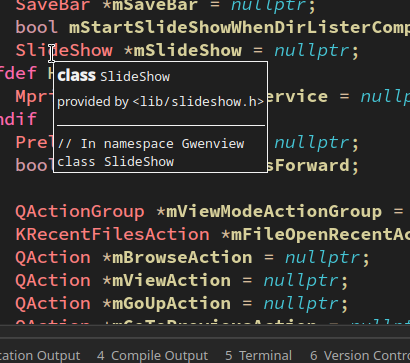
Now open lib/slideshow.cpp and lib/slideshow.h, and you are ready to go.