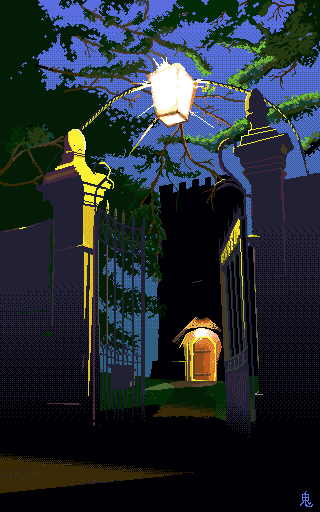
A while ago, I was in the Lake District, or nearby at least, in the small town of Witherslack. This beautiful little village has a church that you can sleep in overnight, so I did! Champing, as it's known (apparently) is becoming a way for churches to fund their repair. I was quite taken with the idea. I decided to take some photos and I quite liked this one.
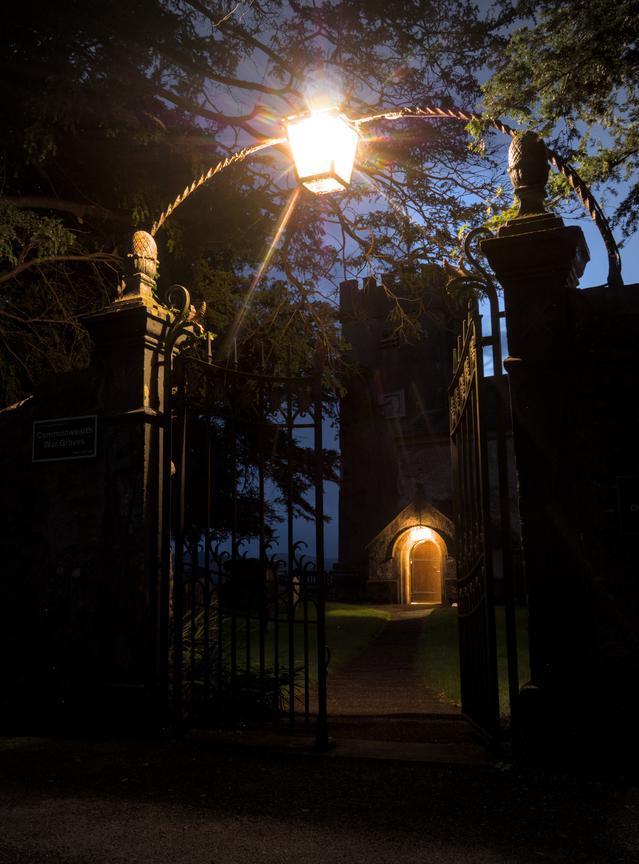
So much so that I thought I'd make a pixel art version. Then I thought, I'd better enter this into a Demoscene competition. I've spoken a bit about the demoscene before, but just as a reminder - think a computer art competition and a party rolled into one, with an emphasis on technical ability meeting artistic intent.
I've always liked the aesthetic of pixel art, espeicially when it's done well. I've always fancied having a go myself. I have a copy of aseprite, which is perhaps the best pixel art tool I've ever used. There are plenty of such tools around for various platforms but I've settled on this one as it does everything so well. I highly recommend it, if you want to start out making your own pixel art.
Most competitions like you to show intermediate steps in the process - mostly because it's interesting for folks, but in this time of A.I., people want to know it was made by a human (I won't get into that argument at the moment). I generally start with a rough outline, and then focus in. Then I'll take a step back and make sure everything looks right,removing bits as necessary. I'm trying not to get too details focused too early. Trying to find the shape of it is rather important.
I've put together the steps into an animated gif below:
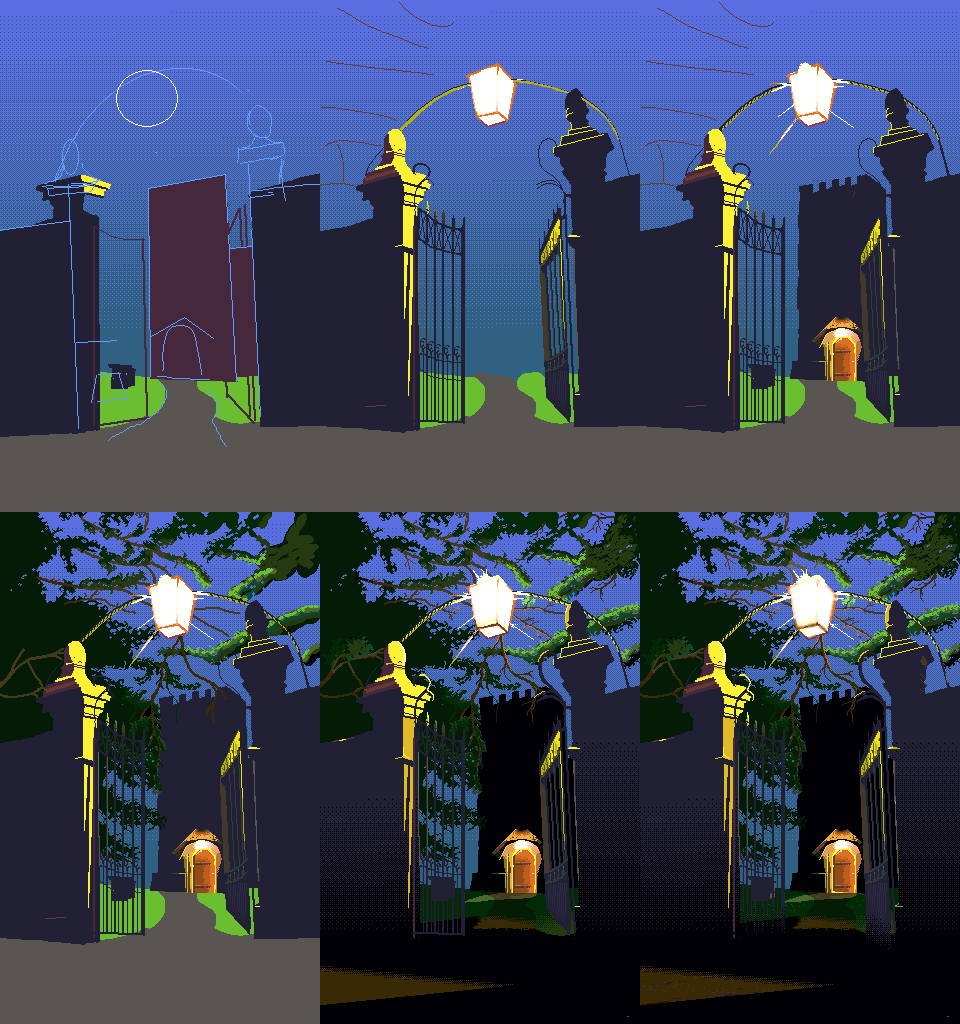
The lighting is mostly copied from the photograph, with a few changes here and there. One of the best features of Aseprite is the built-in dithering fill tools! If you want a nice transition between two colours, whilst only using these two colours these tools are exactly what you need. Dithering is an old-school process to achieve colour blending with a limited palette. The idea is to use an alternating pattern of two different colours in order to trick the eye into thinking there is some other colour there - a mix of the two. I think it's a cool effect but hard to do by hand, at least for a beginner like me.
The eagle eyed among you will notice this image only has 32 colours. This is because I want to run this image through the Amiga 500 I have on my desk, using Deluxe Paint 3. I'd like to present this in an oldschool competition. My goal is to eventually produce a lot of Amiga art this way - modern tools but finalising on the target machine.
I use the excellent dpaint.js to convert the aseprite file into an Amiga IFF, which I then load into Deluxe Paint for final editing and signing. As my Amiga is connected to my fileserver, moving files around is no trouble.
I had planned on releasing this at the NOVA26 demoparty, but since I drew this, I've come up with a different image I'm going to enter instead. I had 68k Inside recommended to me, as the Amiga is of course powered by a Motorola 68000. The graphics competition only had two entries, and I came second, and therefore also last. Still, the Winner was very good I thought. I've a bit of a way to go yet but it's all fun!
Pixel art is a lot of fun. It's even more fun when you can bring modern techniques to bear on an old-school platform.
I found the leaves to be the hardest bit on this drawing, but I've definitely improved since I last attempted to draw trees. The walls are also a bit bare and bland, even though they do look that way in the image. Nevertheless, it's a journey, getting better at art I think. Fingers crossed my next entry does well.